Create an Accounting Group
The accounting group associates the employee with the payroll expense account (gross salary) and the payroll account for salary accounting purposes. This allows for the creation of separate accounts for each employee, for example, when the salaries of each department need to be recorded in different accounting accounts.
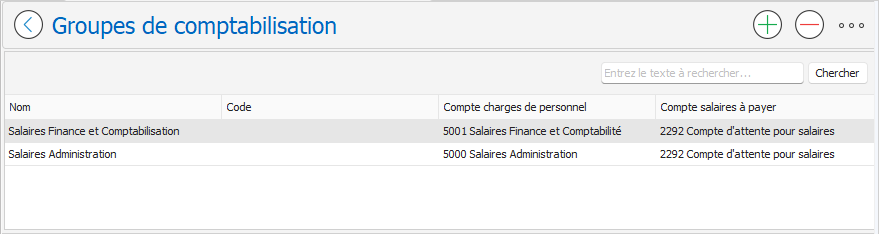
To create a new accounting group:
- Access the Accounting Groups page using one of the following two options:
- From the menu: Human Resources , Salaries , Personal Data , Accounting Groups .
- From the employee's Accounting tab: open or create an accounting entry, then click on the Manage button represented by the three small dots … to the right of the Accounting Group drop-down list:
- The Accounting Groups page appears. Click the New button.
top right of the page:
- On the New Accounting Group page, fill in the required fields:
- Code : Accounting group identifier.
- Name : Accounting group name.
- Personnel expenses account : Gross Salary account from the accounting plan (expense account).
- Payroll account payable : Pending payroll account in the chart of accounts (liability account for wages pending payment).
- Click the OK button
to validate and close the accounting group.