Install SQL Server Management Studio (SSMS)
SQL Server Management Studio (SSMS) is a Microsoft tool that allows you to administer SQL Server databases. Installing this tool is not mandatory but is useful for creating connections and managing the security of your databases.
1. Download SQL Server Management Studio (SSMS)
- You can download this tool on the following page:
Download SQL Server Management Studio (SSMS) - SQL Server Management Studio (SSMS) | Microsoft Learn - To download the French version, select French from the available languages on the page:
2. Install SQL Server Management Studio (SSMS)
- Double-click on the downloaded file:
- Click on Install :
- A message informs you that the installation is complete. Click Close :
3. Create a new user
To create a new user with SSMS :
- Open the SSMS program:
- Click on Login :
- In Object Explorer :
a) Develop Security ,
b) Right-click on Connections and select New connection :
- In the New Connection form:
a) Enter an Access Name
b) Select SQL Server Authentication and enter a password
c) Uncheck Apply password policy : - Still in the New Connection form, select Server Roles and enable sysadmin . Click OK :
- A new connection has been created:

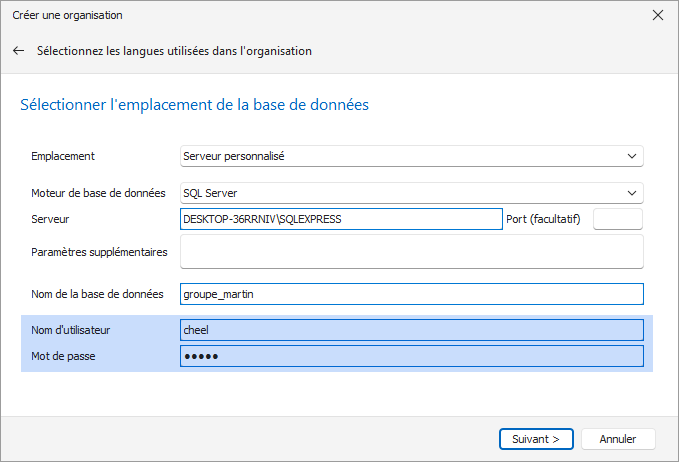
The access name and password from step 5 must be entered when creating a new organization: