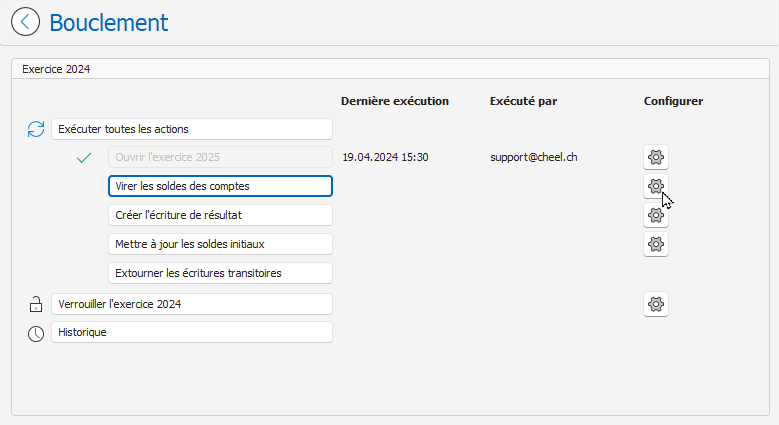
Transfer account balances
This action allows you to transfer the balance from one account to another at the end of the fiscal year. For example, transferring the Profit/Loss account for the current year to the Profit/Loss account.
Define the transfer account
To configure an account so that its balance is transferred to another account upon closing:
- In the Chart of Accounts, open the account whose balance needs to be transferred. For example, account 2979 Profit/Loss for the year.
- In the Closing tab, enter the transfer information:
- Upon closing, transfer the balance : Check this box to activate the balance transfer.
- Exercise : Choose the fiscal year into which the balance is transferred.
- Period : Select the relevant period.
- Accounting text : Enter the accounting description for the transfer entry.
- Transfer account : Select the account to which the balance is transferred upon closing.
- Closing journal : Select the journal for the closing entry. For example, the Closing/Return journal.
Transfer account balances
- Open the Loopback page: Configuration menu, Loopback .
- On the Closing page, click the Transfer account balances button:
- When the action is completed, a green visual indicator is displayed and the Last execution and Executed by columns are filled in:
- Last execution : Displays the date and time of the last execution.
- Executed by : Indicates the name of the user who performed the last operation.
- In our example, the balance of the Profit/Loss account for the current fiscal year was transferred to the "Profit/Loss Retained" account in the following fiscal year:

On the Loopback page, the Configure button  The action " Virer le bilan des comptes" (Virt the account balance) opens the chart of accounts page: