100% VAT entries (pure VAT)
A 100% VAT entry or pure VAT entry refers to an accounting entry where the entire amount is related to VAT.
Set a VAT figure and rate to 100% (pure VAT)
- Open the relevant VAT figure: Accounting menu, VAT , VAT figures and rates .
- To set a VAT figure and rate of 100%, fill in the fields below as indicated:
- Rate type: Full
- Rate: 100%

For more information on creating a VAT figure and rate, refer to the article VAT figures and rates .
When a new company is created, the figures and VAT rates at 100% are generated automatically.
Enter a 100% VAT entry (pure VAT)
- Create a new entry: Accounting menu, Entries , New button.
- In the accounting entry, assign the VAT figure to 100%:
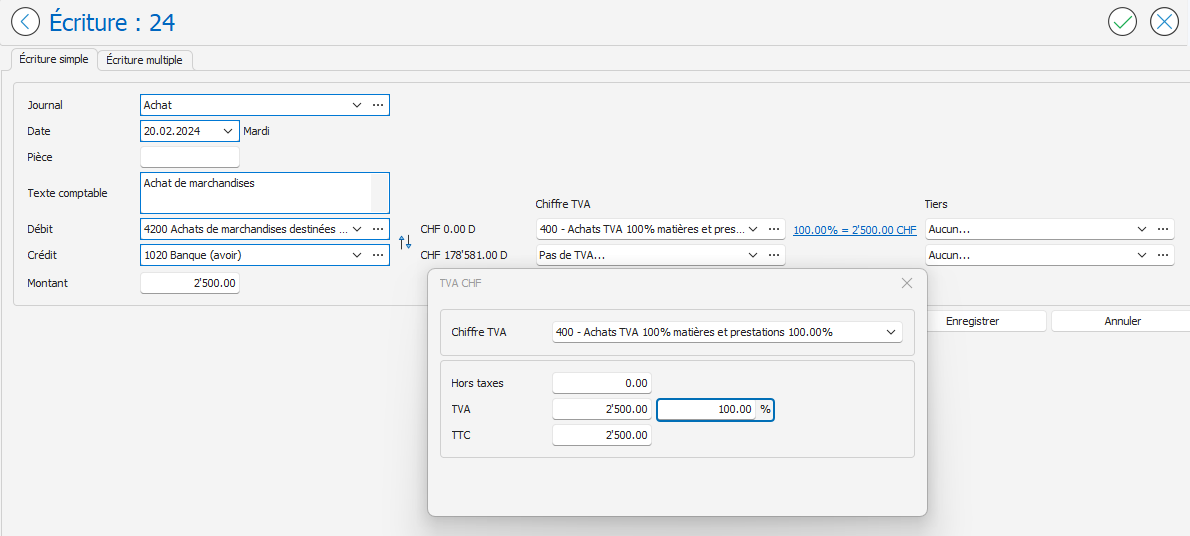
- When you apply the VAT rate to 100%, the total amount of the entry is recorded in the VAT collective account (account 1170 in the example below):
To simplify this type of data entry, it is recommended to use a number and a VAT rate of 100%. However, it is also possible to manually enter the VAT rate or amount in the VAT window. To display this window, click on the link indicating the VAT rate and amount:
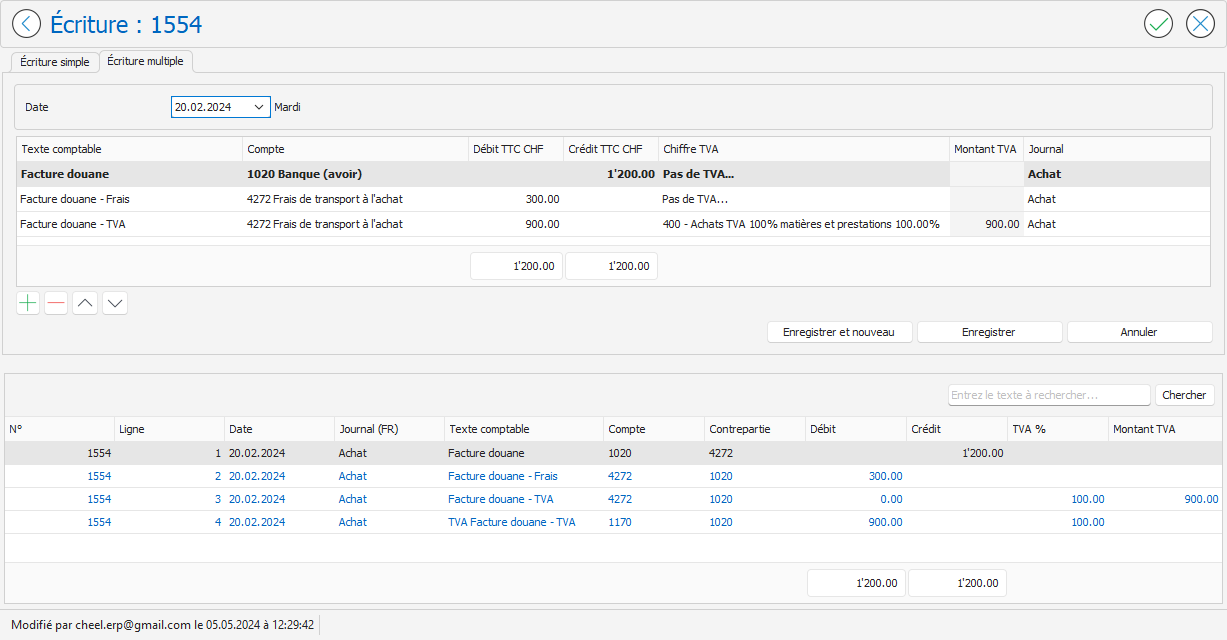
When only part of an invoice amount is subject to VAT, as is the case for a customs invoice including fees, you can enter a multiple entry. In the example below, a customs invoice for CHF 1,200.00 includes CHF 300.00 in fees and CHF 900.00 in pure VAT: