Create multiple foreign currency entries
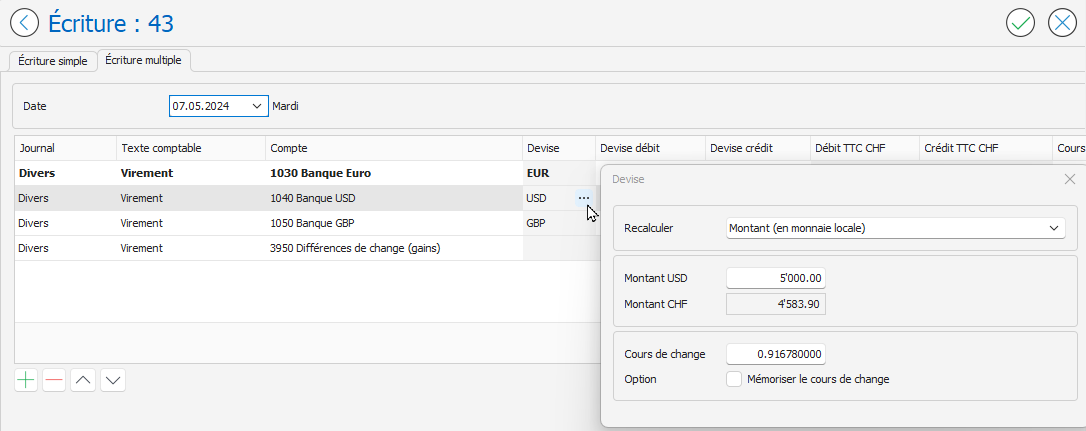
Multiple entries allow you to record transactions in several different currencies. In the example entry below, a transfer was made from the euro (EUR) bank account to bank accounts in US dollars (USD) and British pounds (GBP).
When entering multiple transactions, amounts in foreign currencies should be entered in the Debit Currency or Credit Currency columns . The amounts are automatically converted to the local currency (Swiss francs in our example) based on the exchange rate of each currency. The amounts in local currency are displayed in the Debit (incl. VAT) CHF or Credit (incl. VAT) CHF columns.

For more information on entering multiple entries, refer to the article Creating Multiple Entries .
The Currency window allows you to define the value to be recalculated and to save the exchange rate for the next entry. To display the Currency window for a line in the multi-entry, click the button represented by three small dots … located to the right of the currency symbol in the Currency column:
For more information about the options in the Currency window, refer to the article Creating simple currency entries .