VAT entries
When entering a VAT transaction, the VAT amount associated with the selected debit or credit account is automatically applied. The VAT rate and amount are displayed to the right of the VAT amount as a link.
Clicking on the VAT rate and amount link displays the VAT window. In this window you can:
- Select the old VAT rates from the VAT Sub-figure list.
- Calculate the total amount including tax by manually entering the amount excluding tax, the VAT amount or the rate:

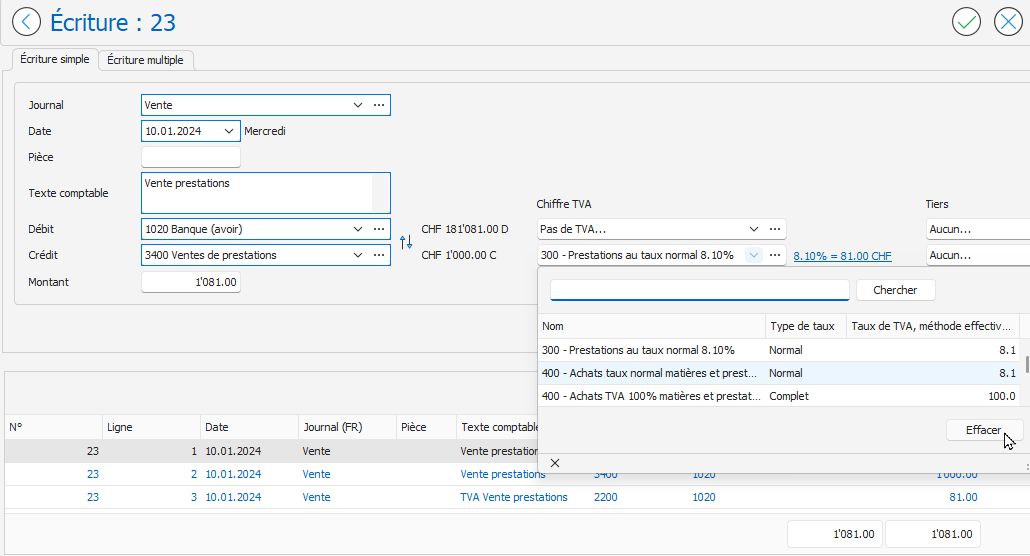
To cancel the default VAT figure (entry without VAT), click the arrow in the drop-down list of the VAT figure field, then click the Clear button:
For more information on entering a journal entry, refer to the article Simple Journal Entry .